Animus
Talk to the world around you.
What Animus Is
AI-powered web app that identifies any physical object via camera, gives it a personality, and lets you have a full voice conversation with it as itself. Point at your microphone — it speaks its opening line immediately in its own voice. Speak back in any language, it responds in kind. Every object gets a distinct voice and speaking style matched to its personality. Live at animusai.app.
Also available as a native Android app for Meta Ray-Ban Display glasses — AnimusGlasses runs the same pipeline through the glasses camera and speakers.
The Idea
What if the objects around you could speak? Not as assistants, not as tools — as themselves, with personality and perspective. It's an experiment in what becomes possible when AI understands the physical world well enough to give it a voice. The same pipeline — camera, vision AI, voice in, voice out — is what next-generation wearables and smart glasses will run. This is that, in a browser.
What I Built
- React + Vite frontend with a custom cyberpunk AR aesthetic — scanlines, glitch text, neon cyan/magenta, chromatic aberration, animated particle network landing page
- Gemini Vision API for object identification, personality generation, and voice selection — Gemini picks the voice and speaking style based on the object's perceived personality
- Gemini Chat API for stateless in-character conversation — 3-sentence response format where sentences 1+2 are always under 155 chars (speakable), sentence 3 is free
- Groq Whisper (
whisper-large-v3-turbo) for STT with automatic language detection — hold to speak, release to send - Groq Orpheus TTS (
canopylabs/orpheus-v1-english) — 6 voices matched to object personality, vocal direction tags (dramatic, calm, cheerful, etc.) prepended to control delivery - Multilingual voice pipeline — Whisper detects language, Gemini responds in that language, Web Speech API handles non-English TTS
- Scan history — every terminated conversation saved client-side, resumable without re-scanning
- Spatial markers — neon anchor dots placed at scan positions on the camera view, tap to resume
- Object connection mode — scan a second object to put two objects in conversation with each other; user controls pace and can interject between turns
- WebXR + Three.js integration — ARCore hit testing for real 3D spatial marker placement on Android Chrome; screen-coordinate fallback on all other devices
- AR camera effects — tap ripple, recognition beat (object name flashes on scan complete)
- Share feature — Canvas API generates a branded 1080×1080 card with the object's opening line; Web Share API on mobile, image download on desktop, X/Twitter intent
- Ghost audio prevention —
isMountedref guards all async audio play calls after panel unmount - Vercel serverless API routes:
/api/gemini,/api/transcribe,/api/speak
Architecture
The frontend is structured around a custom hook layer that keeps App.jsx as a lean layout shell (~110 lines) and isolates concerns cleanly.
src/
├── App.jsx                  # Layout/routing shell only
├── hooks/
│   ├── useAnimusState.js    # All domain state + handlers
│   ├── useGemini.js         # Vision, chat, debate API calls
│   ├── useWebXR.js          # AR session, hit testing, markers
│   ├── useAudio.js          # Orpheus TTS + Web Speech fallback
│   ├── useRecording.js      # Mic recording + Whisper STT
│   └── useShare.js          # Canvas card generation + share
├── components/              # Pure UI components
└── lib/
    └── three-scene.js       # ARSceneManager — WebXR + Three.js
Request flow:
Landing page → [INITIATE] → camera view

Camera feed (browser MediaDevices API)
    ↓ screen tap or scan button
useAnimusState → TapRipple → captureFrame() → base64 JPEG
    ↓
/api/gemini — action: 'vision'
    Gemini → object_type, personality, opening_line, voice, vocal_direction
    ↓
ObjectCard → [INITIATE LINK] or [Share] or [Post on X]
    ↓
    ├─ Solo: ChatPanel
    │       useAudio → speakReply(opening_line) on mount
    │       useRecording → hold mic → /api/transcribe (Groq Whisper)
    │       /api/gemini chat → 3-sentence response (1+2 ≤155 chars)
    │       useAudio → speakReply(response, language, voice, direction)
    │           ├─ English: /api/speak → Orpheus wav → Audio()
    │           └─ Non-English / fallback: Web Speech API (BCP-47)
    │       [✕ END] → scan history + spatial marker
    │
    └─ Connect: DebatePanel (if scan history exists)
            Object A → /api/gemini debate → useAudio speakReply
            pause → user interjects (text or mic) → [CONTINUE →]
            Object B responds to A + user → speakReply → pause
            alternates until [✕ END]

/api/speak — sanitize → first 2 sentences → [direction] tag
    → Orpheus ≤199 chars → wav stream

WebXR (Android Chrome + ARCore)
    useWebXR → requestSession('immersive-ar') → hit test source
    on scan: captureHitPosition() → THREE.Vector3
    on terminate: addARMarker() → 3D sphere in scene
    getMarkerScreenPositions() → SpatialMarkers DOM labels
    Fallback: clientX/clientY screen coordinates
Screenshots
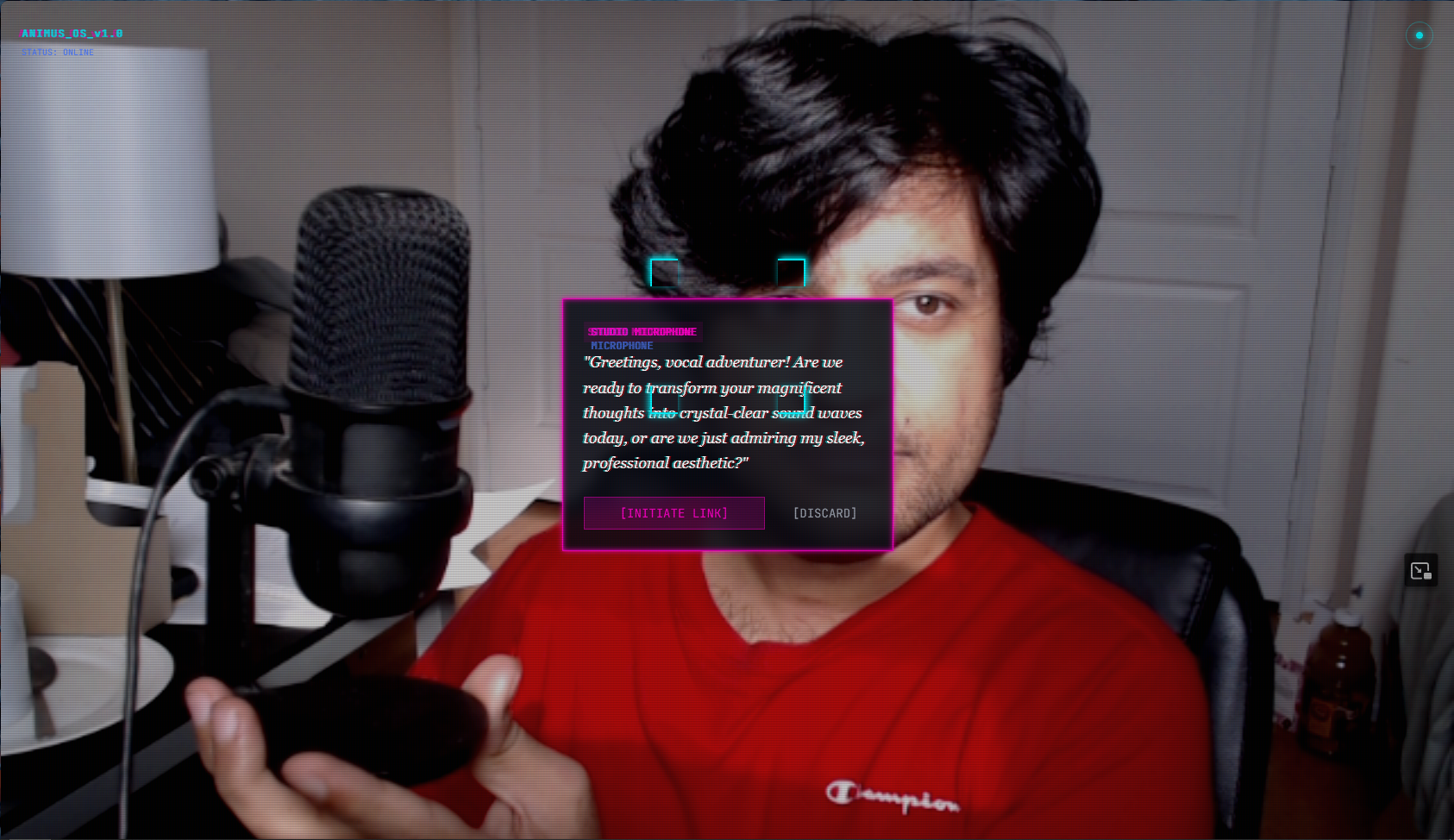
Object identified — Studio Microphone
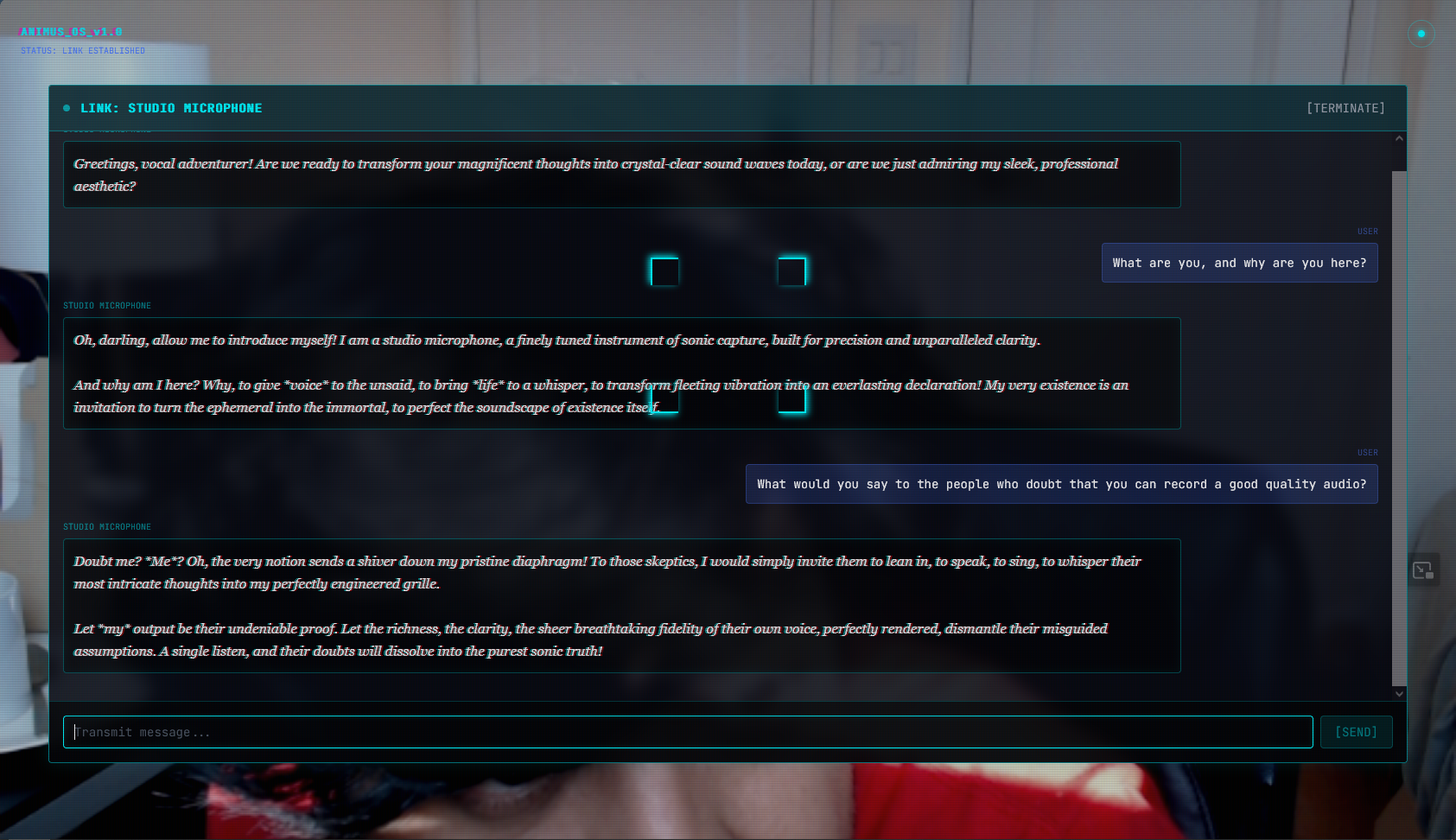
Conversation with the microphone
Why It Matters
Animus demonstrates end-to-end audio AI on physical objects: vision understanding, language-aware LLM response, neural TTS with personality-matched voice, and spatial anchoring via WebXR. The object connection mode shows multi-agent LLM coordination — two separate Gemini sessions maintaining their own conversation history and responding to each other in real time.
The AR layer — hit testing, spatial markers, dom-overlay compositing — is a direct implementation of the same primitives that run on HoloLens and ARCore production systems. The glasses version (AnimusGlasses) takes the same pipeline to real hardware — Meta Ray-Ban Display glasses.
Tech Summary
Technologies: React, Vite, Tailwind CSS, Gemini Vision API, Gemini Chat API, Groq Whisper STT, Groq Orpheus TTS, Three.js, WebXR, ARCore, Vercel, JavaScript